Pianoter
A full-stack web app for tracking piano practice sessions and managing your repertoire.
The Idea
Anyone who has spent time learning an instrument knows the struggle: you pick up a new piece, work on it for a few weeks, set it aside, and then completely forget it ever existed. Your repertoire ends up being a graveyard of half-learned pieces you swear you’ll come back to eventually.
I wanted a simple way to keep track of what I’m learning, where I left off, and which pieces I should be revisiting before they fade from memory entirely. Spreadsheets felt too clunky, and general task managers don’t really understand the concept of “I learned this piece but haven’t played it in two months.”
So I built Pianoter: a web application specifically designed around the lifecycle of learning a piano piece.
How It Works
The core concept is built around piece statuses. Every piece in your library lives in one of a few states: it might be sitting on your wishlist, actively being learned, polished and ready to perform, or shelved for later. Moving a piece through these states is how you track progress over time.
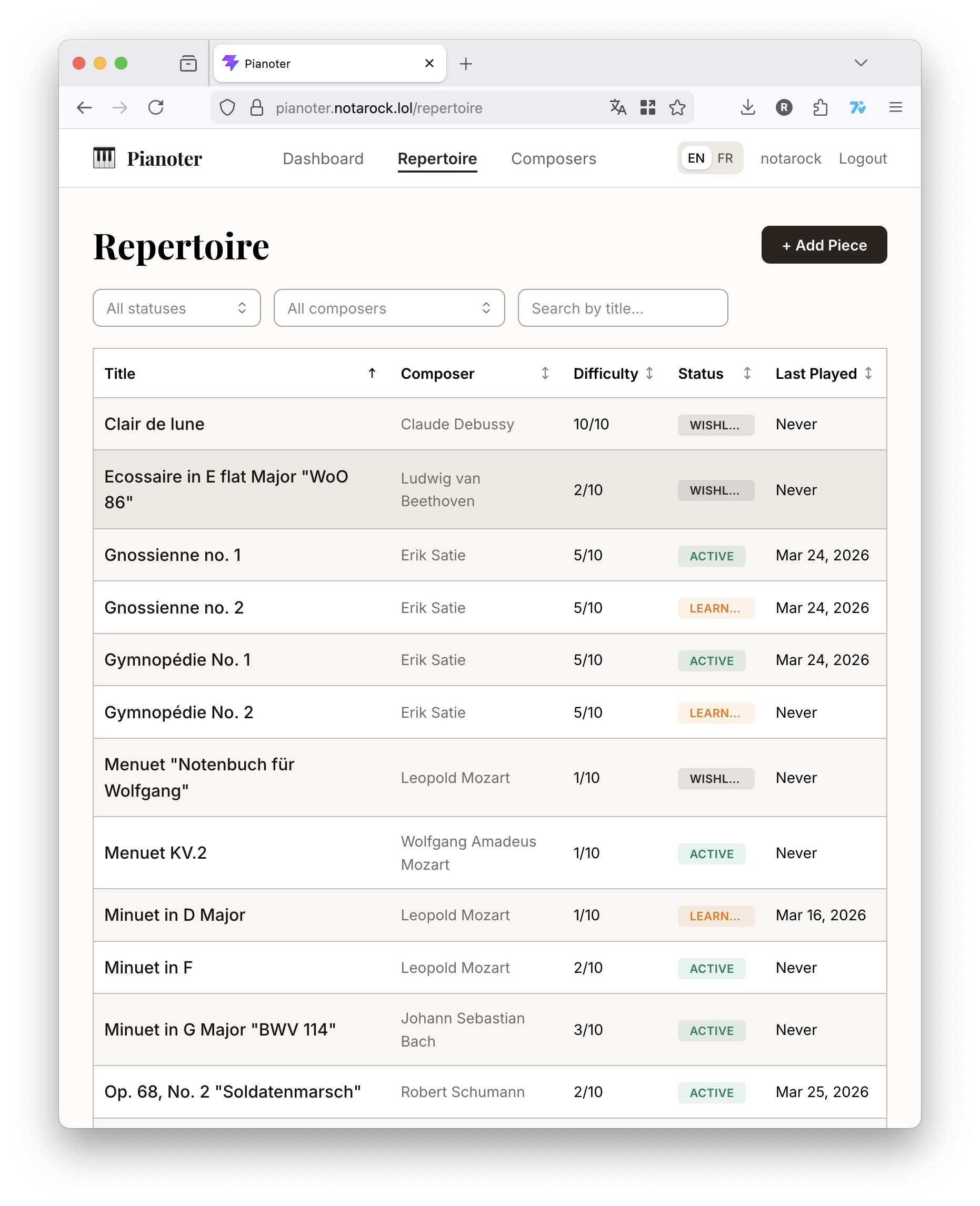
Beyond statuses, pieces also have learning stages, from playing hands separately all the way to performance-ready. This distinction matters because a piece can be “active” but still in early hands-separate territory, and that context is useful when you come back to it after a break.
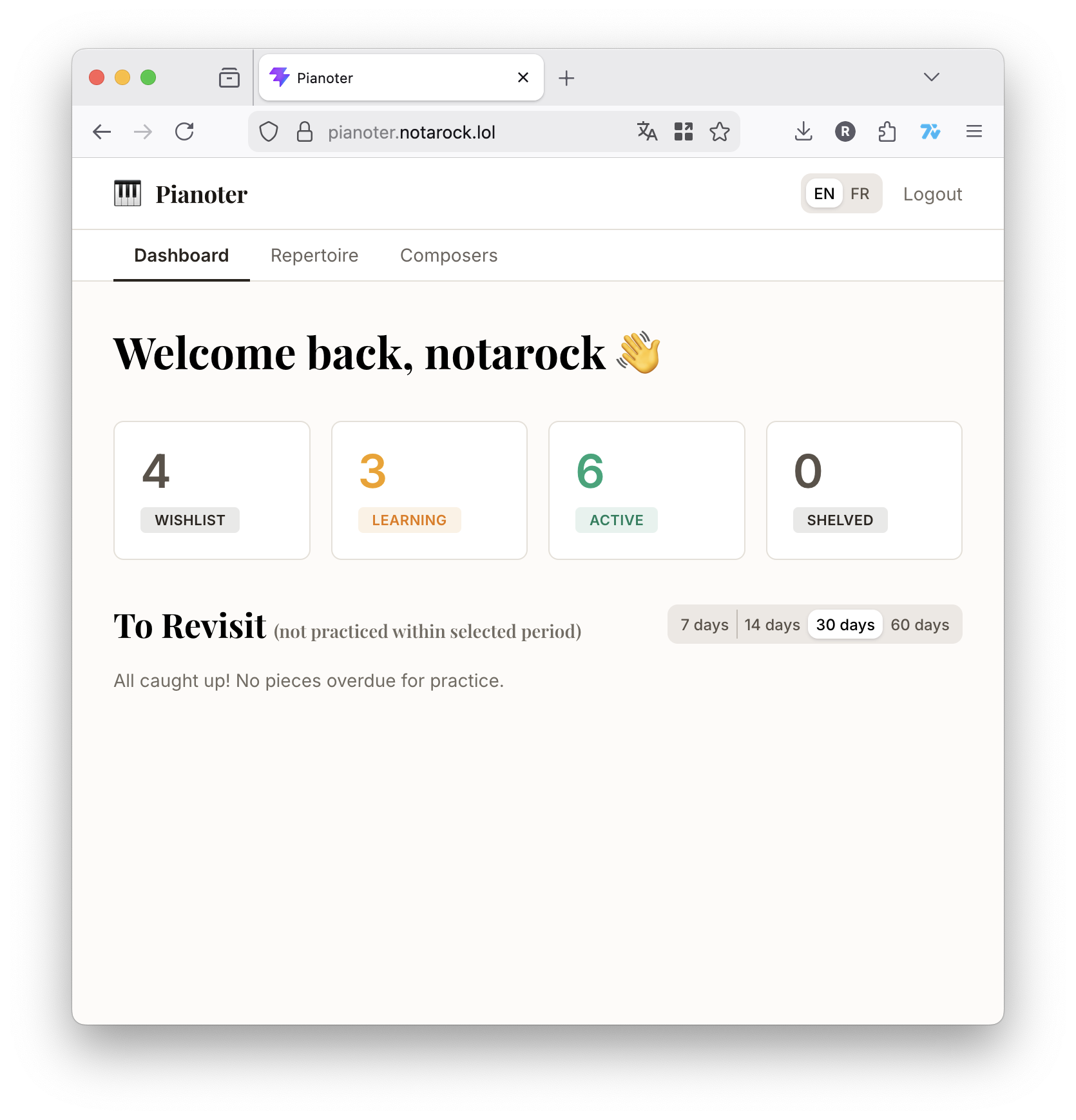
The dashboard ties everything together. At a glance, you can see how many pieces you’re currently working on and, more usefully, a set of “to revisit” tables: pieces you haven’t touched in 7, 14, 30, or 60 days. It’s a gentle nudge to go back to something before muscle memory fully evaporates.
Tracking Practice Sessions
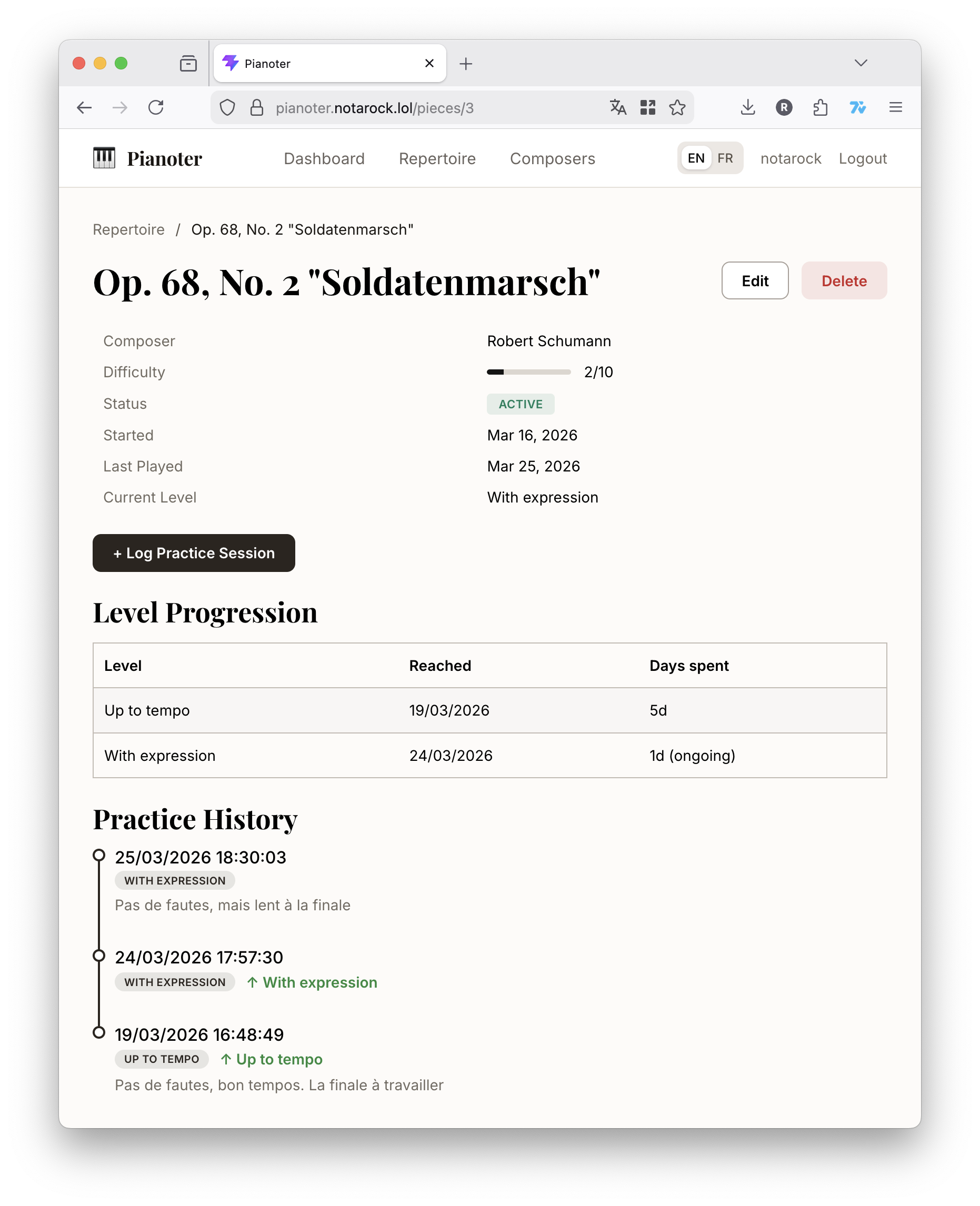
Each piece has a practice log where you can record sessions with notes and a self-assessed performance level. Over time, this builds a timeline showing how long you spent in each learning stage, which turns out to be oddly satisfying to look back on.
It’s a small thing, but having a record of the journey from “stumbling through hands separate” to “this actually sounds decent” is genuinely motivating.
The Stack
The backend is written in Go using the Chi router, backed by MariaDB with Goose handling database migrations. Authentication is JWT-based. The frontend is React with TypeScript, using Mantine for the UI components and i18next for internationalization. The app supports both English and French out of the box.
The whole thing is packaged with Docker Compose, so spinning up a local instance is just a make dev away.
Wrapping Up
Pianoter scratches a very specific itch, but it’s been a useful exercise in building a full-stack application from scratch with a real use case in mind. It’s not trying to be a general-purpose practice tracker. It’s opinionated about how learning a piece works, and that’s kind of the point.
If you’re a pianist tired of losing track of your repertoire, feel free to check out the GitHub repository.